 浙江省二级建造师继续教育学习网刷课脚本分享
浙江省二级建造师继续教育学习网 
# 脚本介绍
该油猴脚本用于 浙江省二级建造师继续教育学习网 的辅助看课,使用JavaScript编写,适配网址:https://2j.zjjsrc.cn/
脚本功能如下:
- 自动播放视频课程
- 解除视频暂停限制
- 防止标签页休眠
- 自动切换下一章节
- 模拟鼠标活动防止检测
脚本安装地址:
暂时下架
如果不会安装脚本,请按照下面安装教程来操作。
# 代学服务
提示
如需代学,请联系客服,支持闲鱼交易。
微信联系:yizhituziang
QQ联系:2422270452
- img: /img/weixin.jpg
  name: 微信联系:yizhituziang
- img: /img/qq.jpg
  name: QQ联系:2422270452
# 安装教程
# 1.安装浏览器扩展插件
首先需要给我们的浏览器安装上脚本猫插件,这是运行所有用户脚本的基础,如果浏览器已经安装过了脚本猫或者油猴插件,那么可以跳过这一步。推荐使用edge浏览器,安装插件更方便。
浏览器打开网址:https://docs.scriptcat.org/ (opens new window)
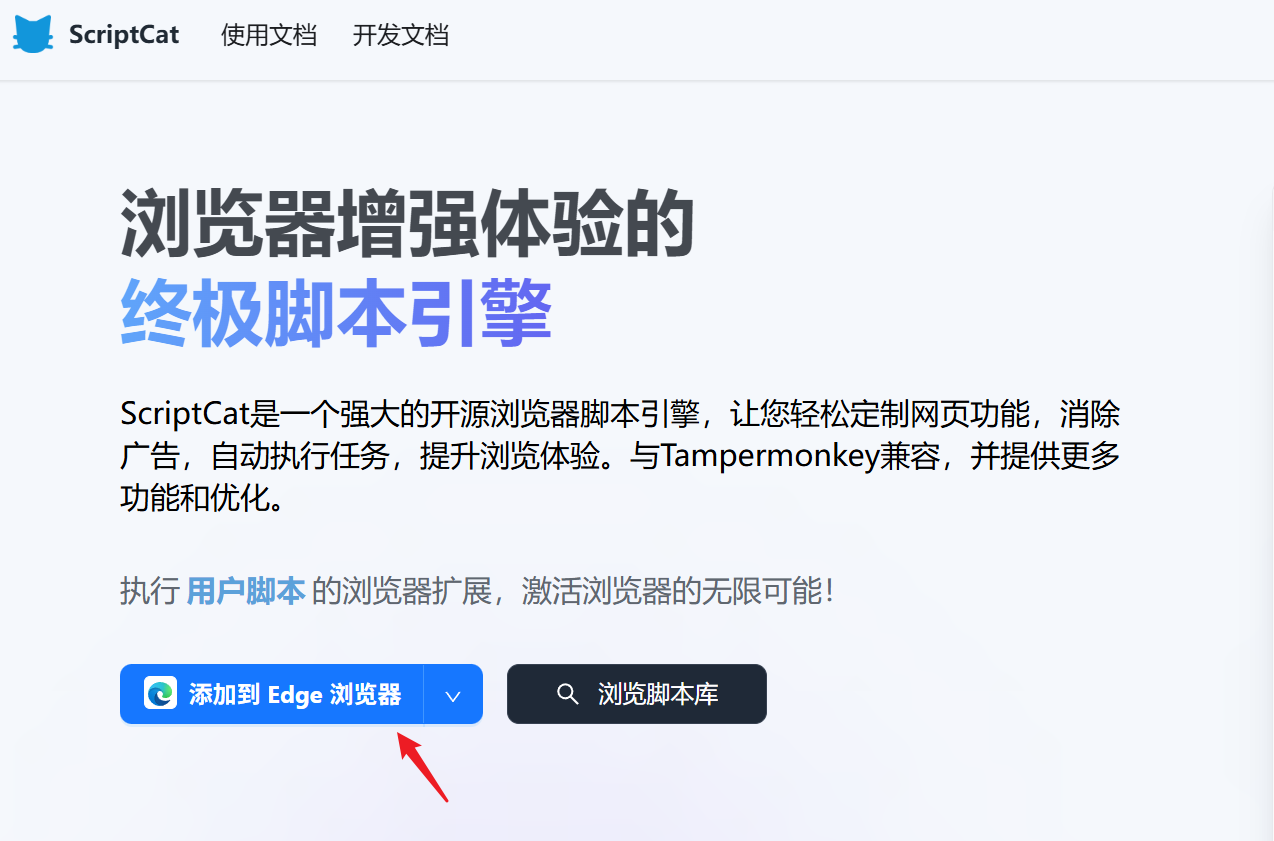
这里用edge浏览器作为示范,点击 "添加到Edge浏览器"
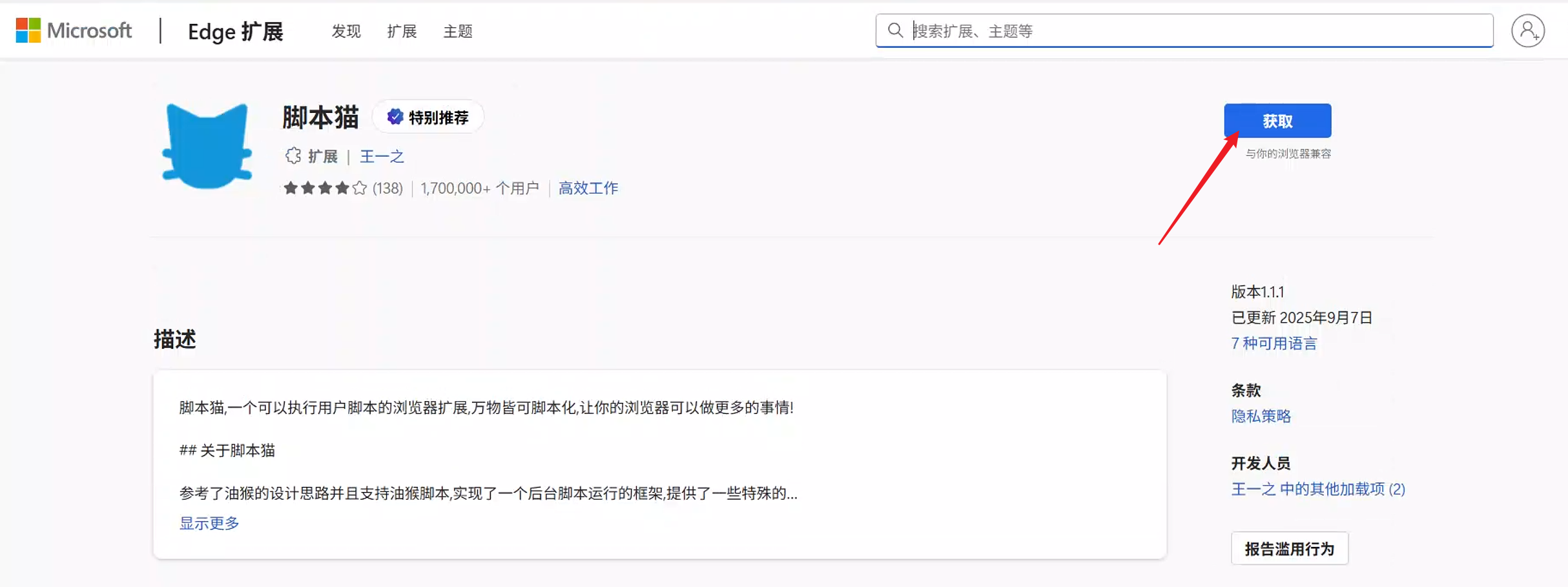
接着点击 "获取"
在右上角弹出的窗口,点击 "添加扩展"
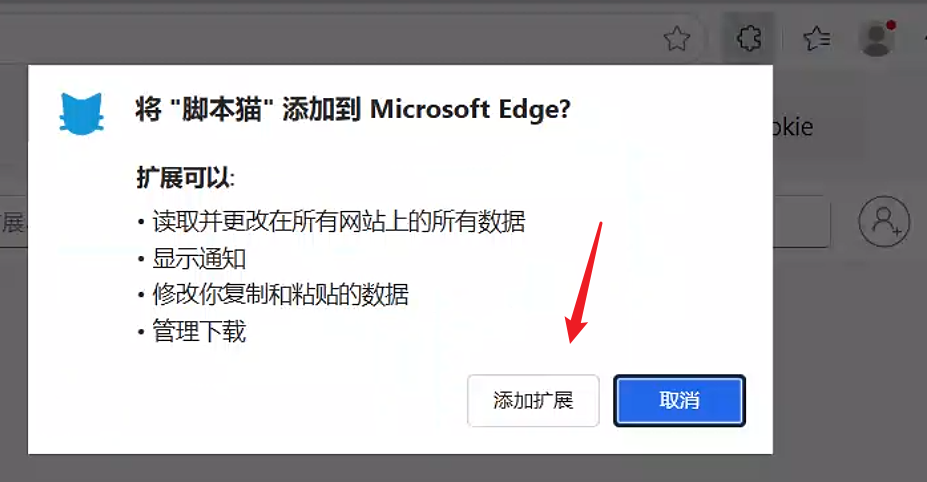
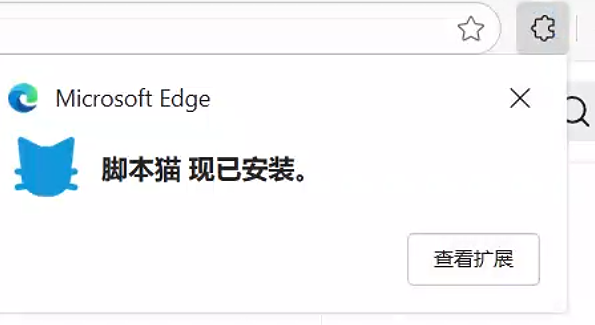
等待几秒钟,会提示已经安装好脚本猫插件了。
# 2.安装刷课脚本
打开脚本安装地址后,在页面点击 "安装脚本" 按钮,接着在弹出的窗口点击 "安装" ,之后就会提示"安装成功"。
# 3.体验脚本功能
安装脚本后,需要重新进入学习站点,如果之前已经打开课程学习页面,那么需要刷新页面后脚本才会生效。
# 核心代码
(function() {
    'use strict';

    console.log('🚀 浙江省二级建造师继续教育刷课脚本已启动');

    const CONFIG = {
        checkInterval: 1000,
        videoPlayInterval: 500,
        mouseMoveInterval: 30000,
        debugMode: false
    };

    function log(message) {
        if (CONFIG.debugMode) {
            console.log(`[刷课脚本] ${message}`);
        }
    }

    function hijackVisibilityChange() {
        const originalAddEventListener = EventTarget.prototype.addEventListener;

        EventTarget.prototype.addEventListener = function(type, listener, options) {
            if (type === 'visibilitychange' || type === 'blur' || type === 'focusout') {
                log(`已拦截 ${type} 事件`);
                return;
            }
            return originalAddEventListener.call(this, type, listener, options);
        };

        Object.defineProperty(document, 'hidden', {
            get: () => false,
            configurable: false,
            enumerable: true
        });

        Object.defineProperty(document, 'visibilityState', {
            get: () => 'visible',
            configurable: false,
            enumerable: true
        });

        Object.defineProperty(document, 'webkitHidden', {
            get: () => false,
            configurable: false,
            enumerable: true
        });

        Object.defineProperty(document, 'webkitVisibilityState', {
            get: () => 'visible',
            configurable: false,
            enumerable: true
        });

        log('页面可见性检测已绕过');
    }

    function simulateMouseActivity() {
        const events = ['mousemove', 'mouseenter', 'mouseover', 'click'];
        const randomEvent = events[Math.floor(Math.random() * events.length)];
        const x = Math.floor(Math.random() * window.innerWidth);
        const y = Math.floor(Math.random() * window.innerHeight);

        const event = new MouseEvent(randomEvent, {
            view: window,
            bubbles: true,
            cancelable: true,
            clientX: x,
            clientY: y
        });

        document.elementFromPoint(x, y)?.dispatchEvent(event);
        log(`模拟鼠标活动: ${randomEvent} at (${x}, ${y})`);
    }

    function findVideoElement() {
        const selectors = [
            'video',
            '.video-player video',
            '#video-container video',
            '.course-video video',
            'video[src]',
            'video[id^="video"]'
        ];

        for (const selector of selectors) {
            const video = document.querySelector(selector);
            if (video) {
                return video;
            }
        }

        const iframes = document.querySelectorAll('iframe');
        for (const iframe of iframes) {
            try {
                const iframeDoc = iframe.contentDocument || iframe.contentWindow.document;
                const video = iframeDoc.querySelector('video');
                if (video) {
                    return video;
                }
            } catch (e) {
                continue;
            }
        }

        return null;
    }

    function autoPlayVideo(video) {
        if (!video) return;

        if (video.paused) {
            video.play().then(() => {
                log('视频已自动播放');
            }).catch(err => {
                log(`播放失败: ${err.message}`);
            });
        }

        if (video.muted) {
            video.muted = false;
        }

        if (video.playbackRate < 1.5) {
            video.playbackRate = 1.5;
        }

        video.addEventListener('pause', () => {
            log('视频被暂停,尝试恢复播放');
            setTimeout(() => video.play(), 500);
        });

        video.addEventListener('ended', () => {
            log('视频播放完毕,尝试切换下一章节');
            autoNextChapter();
        });
    }

    function autoNextChapter() {
        const nextSelectors = [
            '.next-chapter',
            '#next-btn',
            '[class*="next"]',
            '[id*="next"]',
            'a:has(span:contains("下一章"))',
            'button:contains("下一节")'
        ];

        for (const selector of nextSelectors) {
            const nextBtn = document.querySelector(selector);
            if (nextBtn && !nextBtn.disabled) {
                log('找到下一章节按钮,点击中...');
                nextBtn.click();
                return;
            }
        }

        const chapters = document.querySelectorAll('.chapter-list li, .course-list li');
        for (let i = 0; i < chapters.length; i++) {
            const chapter = chapters[i];
            if (chapter.classList.contains('playing') || chapter.classList.contains('current')) {
                if (chapters[i + 1]) {
                    log('切换到下一章节');
                    chapters[i + 1].click();
                    return;
                }
            }
        }
    }

    function preventSleep() {
        setInterval(() => {
            if (document.hidden) {
                return;
            }
            const video = findVideoElement();
            if (video && video.paused) {
                video.play();
            }
        }, CONFIG.checkInterval);
    }

    function init() {
        hijackVisibilityChange();
        preventSleep();

        setInterval(() => {
            const video = findVideoElement();
            if (video) {
                autoPlayVideo(video);
            }
        }, CONFIG.videoPlayInterval);

        setInterval(simulateMouseActivity, CONFIG.mouseMoveInterval);

        log('脚本初始化完成');
    }

    if (document.readyState === 'loading') {
        document.addEventListener('DOMContentLoaded', init);
    } else {
        init();
    }
})();