
 甘肃省公务员网络培训刷课脚本
甘肃省公务员网络培训 

# 脚本介绍
该油猴脚本用于 甘肃省公务员网络培训 的辅助看课,使用JavaScript编写,适配网址:https://gwypx.gsdj.gov.cn/
脚本功能如下:
1.自动播放 定时检测视频状态,若暂停则自动触发播放(兼容部分平台需手动首屏点击的限制)
2.自定义倍速 页面右上角添加倍速按钮,支持 1/1.5/2 倍切换,倍速设置持久化保存
3.防闲置暂停 定时模拟鼠标移动、页面滚动,避免平台检测 “闲置” 导致视频暂停
脚本安装地址:
暂时下架
如果不会安装脚本,请按照下面安装教程来操作。
# 代学服务
提示
如需代学,请联系客服,支持闲鱼交易。
微信联系:yizhituziang
QQ联系:2422270452
- img: /img/weixin.jpg
  name: 微信联系:yizhituziang
- img: /img/qq.jpg
  name: QQ联系:2422270452
# 安装教程
# 1.安装浏览器扩展插件
首先需要给我们的浏览器安装上脚本猫插件,这是运行所有用户脚本的基础,如果浏览器已经安装过了脚本猫或者油猴插件,那么可以跳过这一步。推荐使用edge浏览器,安装插件更方便。
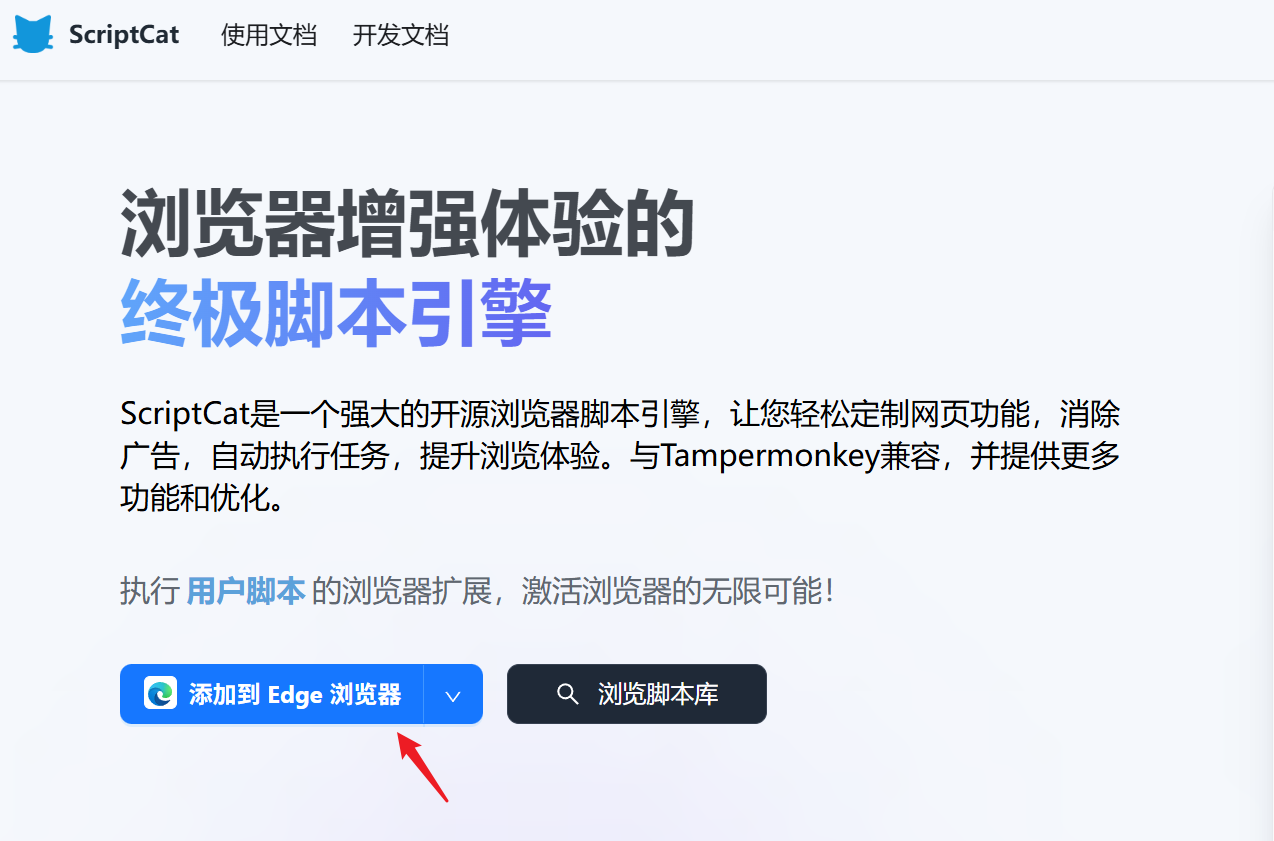
浏览器打开网址:https://docs.scriptcat.org/ (opens new window)
这里用edge浏览器作为示范,点击 “添加到Edge浏览器”
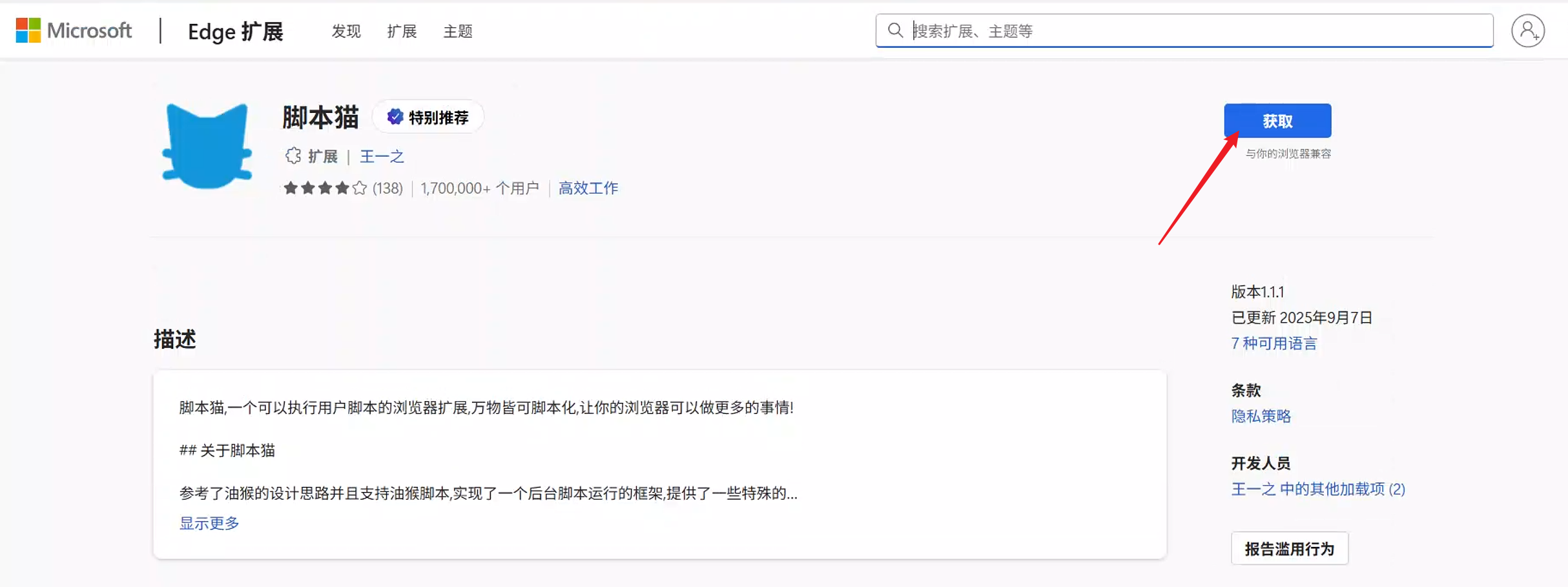
接着点击 “获取”
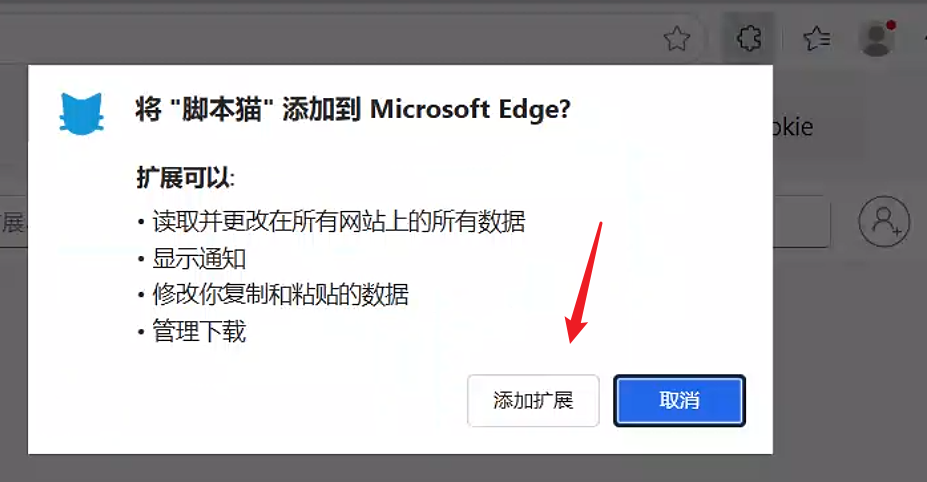
在右上角弹出的窗口,点击 “添加扩展”
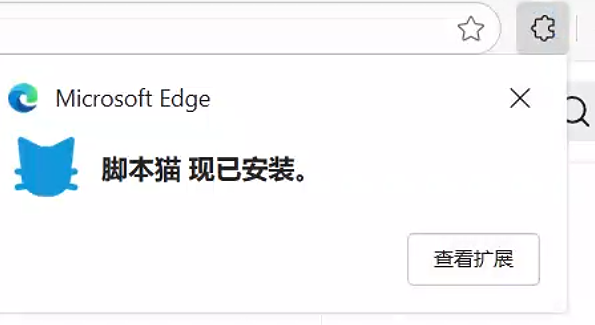
等待几秒钟,会提示已经安装好脚本猫插件了。
# 2.安装刷课脚本
打开脚本安装地址后,在页面点击 “安装脚本” 按钮,接着在弹出的窗口点击 “安装” ,之后就会提示“安装成功”。
# 3.体验脚本功能
安装脚本后,需要重新进入学习站点,如果之前已经打开课程学习页面,那么需要刷新页面后脚本才会生效。
# 核心代码
/**
 * 获取页面中的视频元素
 * @returns {HTMLVideoElement|null} 视频元素
 */
function getVideoElement() {
		// 适配常见的视频标签选择器(根据平台实际播放器调整)
		const videoSelectors = [
				'video',
				'#player video',
				'.video-player video',
				'.vjs-tech'
		];
		for (const selector of videoSelectors) {
				const video = document.querySelector(selector);
				if (video) return video;
		}
		return null;
}

/**
 * 设置视频倍速
 * @param {number} rate 倍速值
 */
function setPlaybackRate(rate) {
		const video = getVideoElement();
		if (video) {
				video.playbackRate = rate;
				GM_setValue('playbackRate', rate);
				console.log(`已设置视频倍速为:${rate}倍`);
		}
}

/**
 * 自动播放视频(防暂停)
 */
function autoPlayVideo() {
		const video = getVideoElement();
		if (video && video.paused) {
				video.play().catch(err => {
						console.log('自动播放失败(需手动点击一次播放):', err);
						// 模拟用户点击播放(部分平台需手动触发首屏播放)
						video.click();
				});
		}
		// 取消静音(可选)
		if (video && video.muted) {
				video.muted = false;
		}
}

/**
 * 检测视频是否播放完成,自动切换下一课
 */
function autoSwitchNextLesson() {
		const video = getVideoElement();
		if (!video) return;

		// 视频播放完成(进度接近100%)
		if (video.ended || (video.currentTime / video.duration) > 0.99) {
				console.log('当前课程播放完成,尝试切换下一课');
				// 适配下一课按钮选择器(根据平台实际DOM调整)
				const nextLessonSelectors = [
						'.next-lesson',
						'#nextBtn',
						'.btn-next',
						'a:contains("下一课")'
				];
				for (const selector of nextLessonSelectors) {
						const nextBtn = document.querySelector(selector);
						if (nextBtn && !nextBtn.disabled) {
								nextBtn.click();
								return;
						}
				}
		}
}

/**
 * 模拟页面活动(防止平台检测闲置暂停)
 */
function simulatePageActivity() {
		// 模拟鼠标移动
		const event = new MouseEvent('mousemove', {
				bubbles: true,
				cancelable: true,
				clientX: Math.random() * window.innerWidth,
				clientY: Math.random() * window.innerHeight
		});
		document.dispatchEvent(event);

		// 模拟滚动
		window.scrollBy(0, 1);
		setTimeout(() => window.scrollBy(0, -1), 100);
}